Black-and-white videos and old faded footage often lose visual details and emotional impact because they lack natural colors. Many users want to bring these memories back to life by adding realistic colors to vintage clips, family recordings, and historical footage.
With AI technology, it is now easier to colorize video without manually adding colors frame by frame. An AI colorize video tool can analyze objects, faces, scenes, and lighting conditions to generate suitable colors while keeping the video consistent.
In this guide, we will explain what video colorization is, how AI colorizers work, what types of videos can be colorized, and how to use AI tools like HitPaw VikPea to add color and enhance old footage.
What Is Video Colorization?
Video colorization is the process of adding colors to grayscale or black-and-white videos. Unlike simple color adjustments that only change brightness, saturation, or contrast, colorization requires AI to understand what objects appear in each frame and predict suitable colors.
An AI-powered video colorizer analyzes different elements in a video, including faces, clothing, buildings, nature, and environments. It then generates colors based on learned patterns from large amounts of visual data.
How Does an AI Video Colorizer Work?
An AI colorizer uses deep learning technology to analyze grayscale frames and identify important visual information.
The basic process usually includes:
- Detecting objects and people in each frame
- Understanding scenes and environments
- Predicting suitable colors based on visual patterns
- Applying colors while maintaining consistency between frames
Since videos contain thousands of connected frames, an AI video colorizer also needs to reduce color changes or flickering between frames to create smoother results.
AI Colorization vs. Manual Video Coloring
Traditional video coloring requires users to manually select objects and add colors frame by frame. This process can take a significant amount of time and requires professional editing skills.
AI colorization provides a faster alternative by automatically analyzing footage and generating colors.
Compared with manual coloring:
- AI saves time when processing long videos
- AI can maintain more consistent colors between frames
- Manual editing provides more detailed creative control
- AI tools are easier for beginners to use
For users who want to quickly ai colorize old videos, AI-based tools provide a more convenient solution.
Why Use AI to Colorize a Video?
AI video colorization can help transform old footage into more visually appealing content. Whether you want to restore family memories or improve vintage clips, AI can simplify the coloring process.
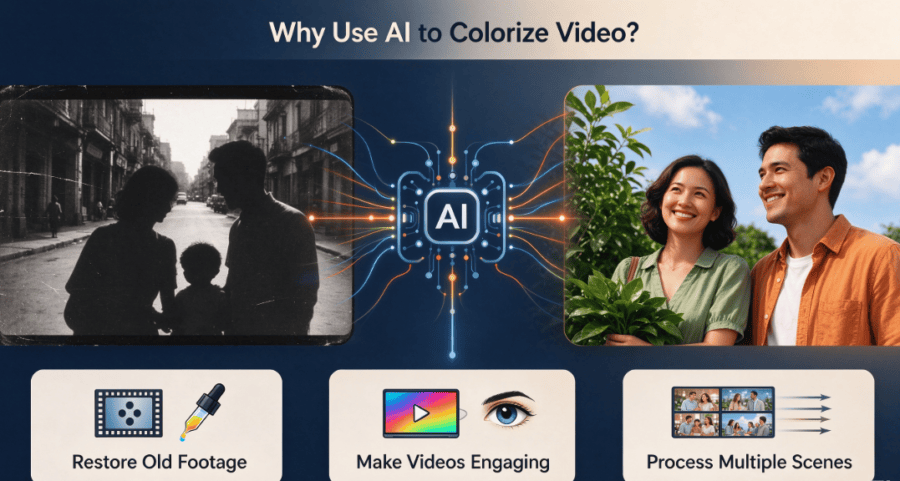
Restore the Look of Old Black-and-White Footage
Many old videos, including family recordings, historical clips, and archived footage, were originally captured without color.
An AI video colorizer can add estimated colors to these videos, making them easier to watch and share. However, because the original colors may not be available, AI-generated colors should be considered realistic interpretations rather than exact restorations.
Make Vintage Videos More Engaging
Adding color can make old videos feel more connected to modern audiences. Colorized footage can help viewers better understand scenes, environments, and details that may be difficult to notice in grayscale.
This is especially useful for personal memories, documentaries, and creative video projects.
Colorize Multiple Scenes More Efficiently
Long videos contain many frames and changing scenes, making manual coloring extremely time-consuming.
AI tools can process multiple scenes automatically and maintain similar colors throughout the video, making them suitable for longer footage.
What Types of Videos Can You Colorize With AI?
AI colorization works best for videos with clear subjects and visible details.
Old Black-and-White Videos
Historical black-and-white footage can be enhanced with AI colorization to create a more realistic viewing experience.
Vintage Family Videos
Old family recordings often contain valuable memories but may suffer from faded quality. AI can help add color while improving overall video appearance.
Historical and Archival Footage
Museums, researchers, and content creators can use AI colorization to make archival videos easier for modern audiences to explore.
Black-and-White Creative Videos
Some creators use black-and-white footage for artistic reasons and later add color effects to create a different visual style.
Low-Quality Old Footage
Old videos may have additional problems such as blur, noise, or low resolution. In these cases, restoration and enhancement before or during colorization can improve the final result.
Colorize Video With HitPaw VikPea
HitPaw VikPea is an AI video enhancement tool available for Windows and Mac that helps users improve video quality, including adding color to old black-and-white footage.
Instead of manually editing every frame, users can use AI-powered features to enhance videos through colorization, restoration, detail recovery, and resolution improvement.
For users who want to colorize video while also improving old footage quality, HitPaw VikPea provides a complete workflow.
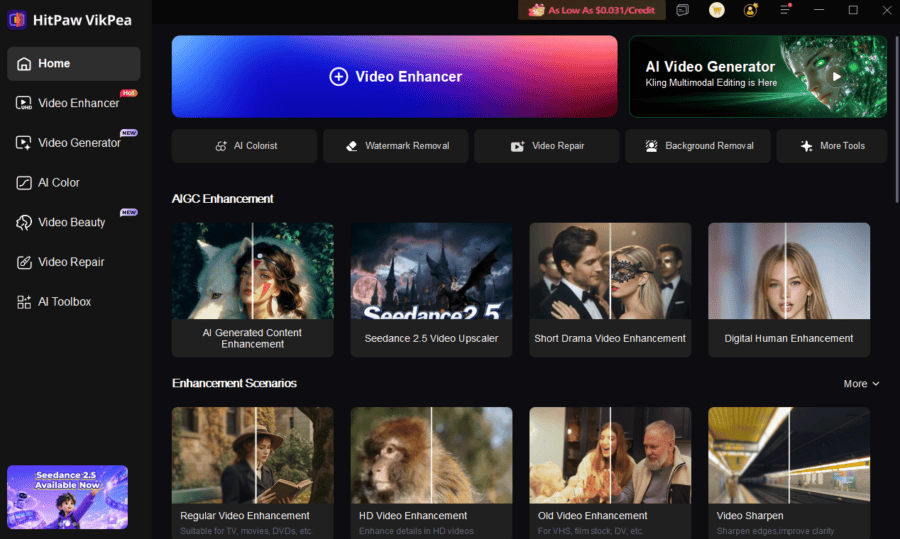
Key Features
- AI video colorization for black-and-white footage
- Video restoration for old and damaged videos
- Detail recovery for clearer visuals
- Noise reduction to improve video quality
- Face enhancement for clearer portraits
How to Colorize a Video in HitPaw VikPea
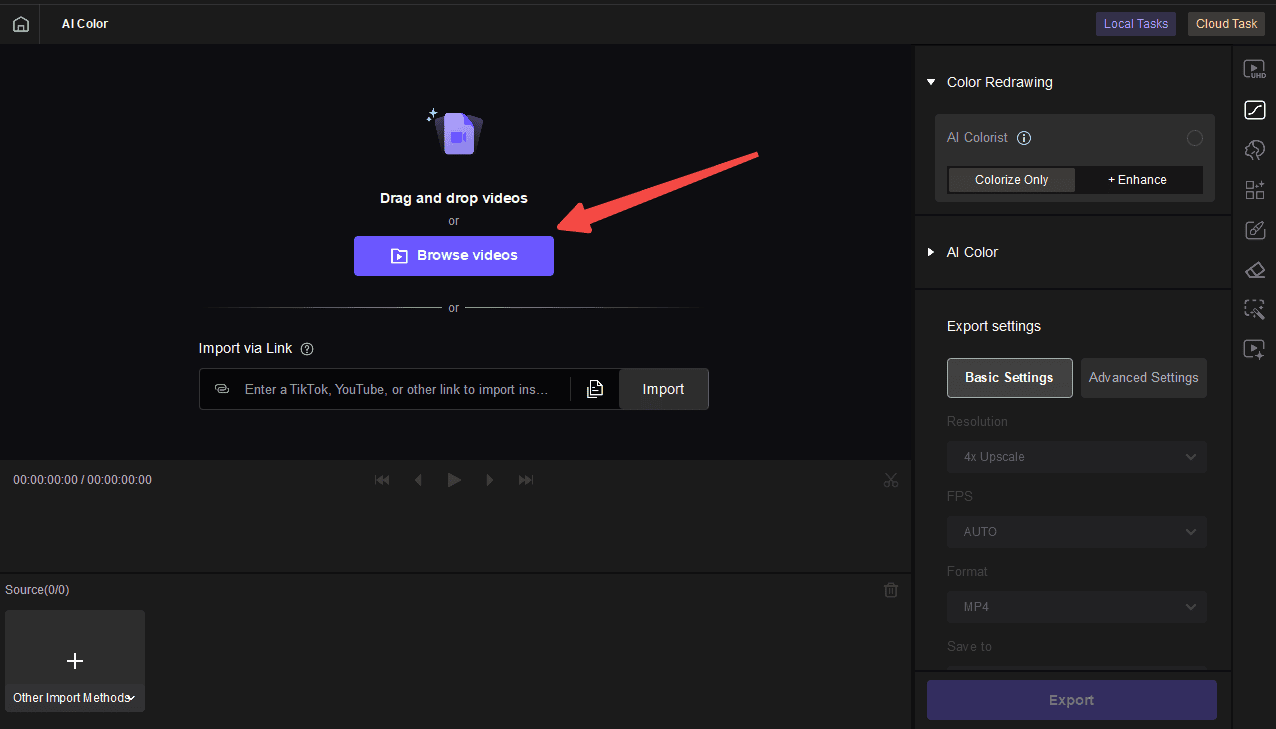
Step 1: Import Your Black-and-White Video
Open HitPaw VikPea and upload the black-and-white video you want to colorize.
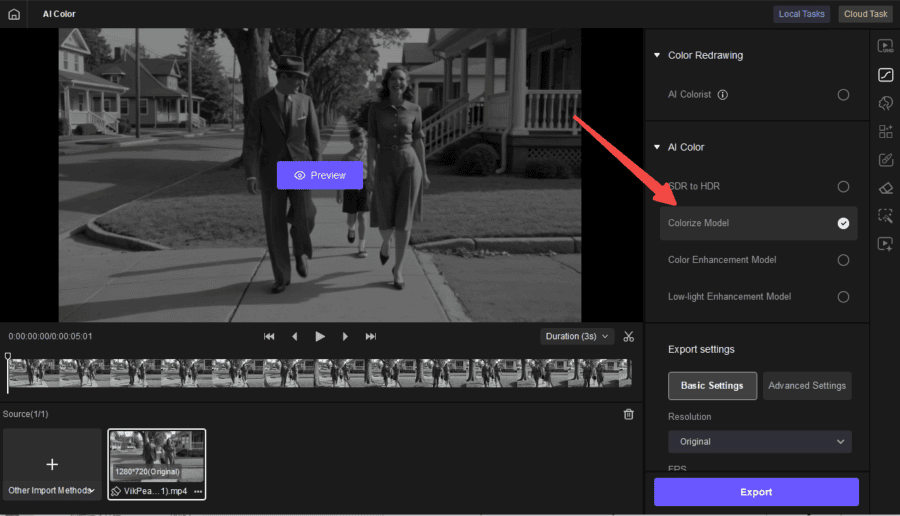
Step 2: Select the Colorization Feature
Choose the AI colorization option to add colors to your grayscale footage.
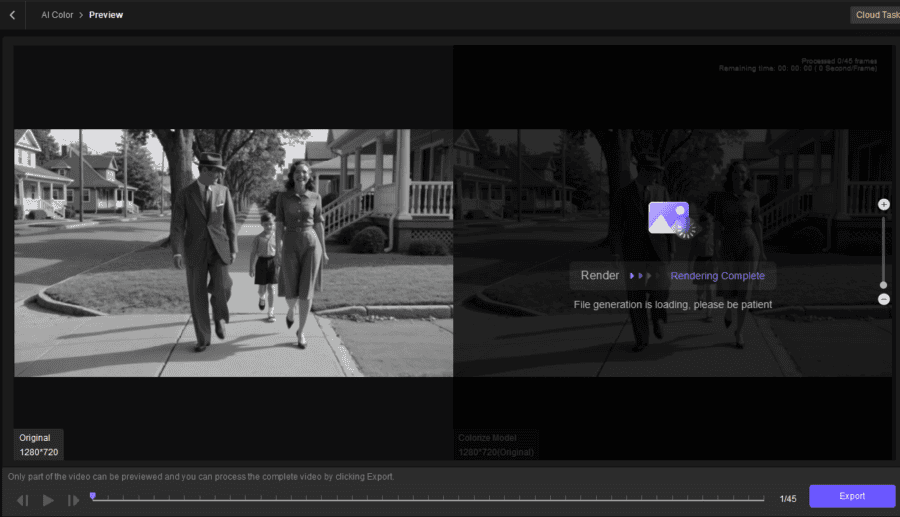
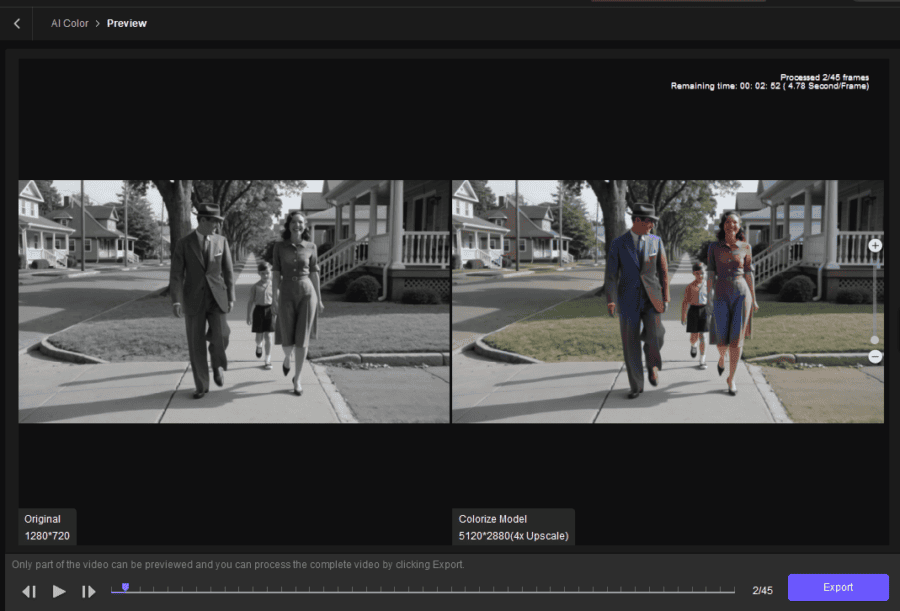
Step 3: Preview the Colorized Result
Preview the processed video and compare the original black-and-white footage with the colorized version.
Step 4: Export the Colorized Video
After reviewing the result, choose your preferred output settings and export the enhanced colorized video.
How to Get Better Results When You Colorize Video
The quality of the original footage has a major impact on AI colorization results. Better source videos usually produce more natural colors and clearer details.
Use the Highest-Quality Source Available
Use the original video file whenever possible. Repeated compression can remove details and make AI analysis more difficult.
Restore Damaged Footage Before Colorization
Old videos may contain scratches, noise, blur, or missing details.
Using video restoration features before colorization can help create a cleaner final result.
Check Skin Tones and Object Colors
Faces and common objects are important visual elements. Check whether skin tones and object colors look natural after AI processing.
Watch for Color Flickering Between Frames
A good AI colorizer should maintain consistent colors across frames. If colors change suddenly, additional adjustments may be needed.
Avoid Over-Processing the Original Footage
Too much sharpening or enhancement can make videos look unnatural. Use balanced settings to maintain realistic results.
FAQs About AI Video Colorization
1. Can I Colorize a Black-and-White Video With AI?
Yes. AI video colorization tools can analyze grayscale footage and automatically add estimated colors based on objects, scenes, and visual patterns.
2. What Is the Best AI Video Colorizer?
The best choice depends on your needs. Some users need simple online colorization, while others may prefer desktop tools that combine colorization with restoration and enhancement features.
3. Can AI Colorize Old Videos Automatically?
Yes. AI can automatically analyze video frames and apply colors without requiring users to manually edit each frame.
4. Can I Colorize a Video Without Editing It Frame by Frame?
Yes. AI colorizers automate the process by processing multiple frames together instead of requiring manual coloring.
5. Is AI Video Colorization Accurate?
AI colorization can create realistic-looking results, but it cannot know the exact original colors of historical footage. The generated colors are AI-based estimates.
Conclusion
AI video colorization makes it easier to transform black-and-white and faded footage into more engaging videos. Instead of manually adding colors frame by frame, an AI colorizer can analyze scenes, recognize objects, and generate consistent colors automatically.
For users who want to colorize video while improving overall video quality, HitPaw VikPea provides a practical solution by combining AI colorization with restoration, detail recovery, noise reduction, and upscaling features.
Whether you are restoring old family videos, enhancing archival footage, or creating creative projects, AI-powered tools can help bring old videos back with improved clarity and color.





Great breakdown of how AI colorization works behind the scenes! I’ve found that pairing colorization with clear, consistent visual rules makes the results far more reliable across different clips. For… Read more »