If you’ve tried more than one online video editor, you’ll know most of them promise the world and then bury the good stuff behind a paywall or a confusing menu. Clideo AI is a bit different — and after spending time in the tool, a few things genuinely stood out.
Here are five areas where Clideo AI does better than a lot of the editors out there.
1. You Don’t Need to Download Anything
This sounds small, but it isn’t. Clideo works entirely in your browser — no installs, no waiting for updates, no worrying about whether your laptop can handle it. It works on Mac, Windows, Android and iPhone, so you can start a project on your phone and finish it on your computer without any fuss.
For anyone who’s ever given up on an editor because the download alone ate half their storage, this is a proper relief.
2. Everything Lives on One Screen
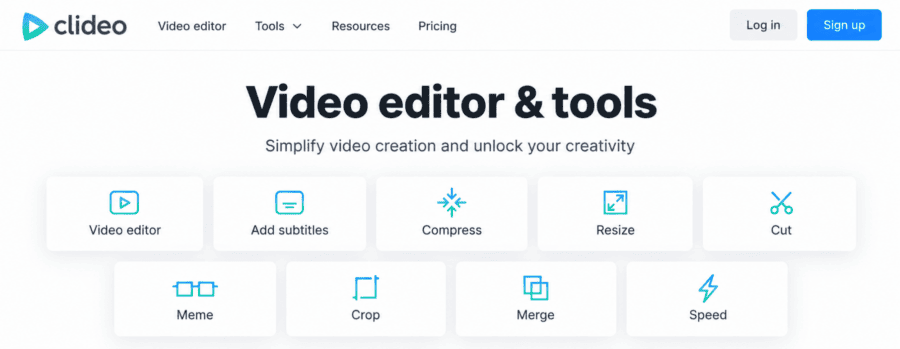
Rather than juggling five different tools for five different jobs, Clideo puts trimming, text, music, filters and export options all in one editor with a multi-track timeline. You can drag your clips into place, layer in audio, and adjust each file individually — crop it, tweak the speed, change the volume — without hopping between separate pages.
It’s not flashy. It’s just sensible. And honestly, that’s what most people actually want from a video editor.
3. Picture-in-Picture and Split-Screen Are Actually Easy
A lot of editors make split-screen or picture-in-picture videos feel like a technical project. Clideo lets you manually position images and videos on screen, so building a collage, a reaction-style clip, or a side-by-side comparison takes minutes rather than hours.
If you make content for TikTok, Instagram Reels or YouTube Shorts, this feature alone can save a lot of back-and-forth.
4. No Experience Needed, But Room to Grow
Clideo is built for beginners — the interface is clean, and there’s no learning curve to speak of. But it doesn’t stop there. Premium users get access to more AI features, higher upload limits, project saving, and watermark-free exports, so the tool grows with you rather than boxing you in.
You can also add your own watermark, adjust brightness and contrast, and export in HD or 4K without losing quality — features that some “beginner-friendly” editors quietly leave out.
5. It Supports Practically Every Format You’ll Throw at It
MP4, MOV, AVI, WEBM, MKV, WMV — Clideo handles them all, along with the usual image and audio formats. You won’t need to convert a file before you can even start editing, which is a common (and annoying) extra step with other tools.
FAQs
Is Clideo AI free to use? Yes, Clideo offers a free version with core editing tools. The premium plan unlocks larger file uploads, more AI features, longer project storage, and watermark removal.
Can I use Clideo AI on my phone? Yes. Clideo works on Android and iPhone as well as Mac and Windows, and there’s a dedicated app for iPhone too.
Does Clideo AI add a watermark to my videos? Free exports may include a watermark. Premium users can remove it, or upload their own custom watermark instead.
What’s the highest video quality I can export? Clideo supports editing and exporting in HD and 4K, and it keeps your original quality unless you choose to change it.
Can I add music or voiceovers with Clideo AI? Yes. You can upload your own audio, choose from the built-in music library, add sound effects, record your voice, or generate an AI voiceover.
Final Thought
There’s no shortage of video editors online, but Clideo AI earns its place by keeping things simple without cutting corners. It’s not trying to be everything at once — it just does the everyday editing jobs well, on any device, without asking much of you in return.
If you’re after a video editor that’s easy to pick up and genuinely useful, Clideo AI is worth a proper try.