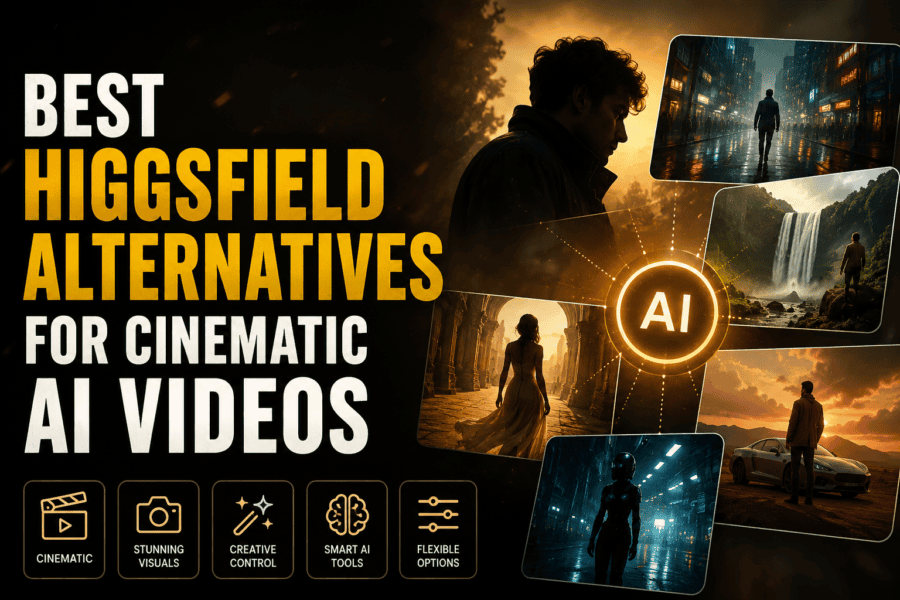
Cinematic AI video has moved beyond simple text-to-video experiments. Creators can now build scenes with controlled camera movement, visual references, characters, environments, and different filmmaking styles.
That opens up more possibilities for filmmakers, advertisers, agencies, and content teams. But different platforms approach cinematic generation in different ways. Some focus on individual shots, while others provide broader creative workflows.
If Higgsfield is not the right fit for your workflow, these alternatives are worth exploring in 2026.
A Different Way to Approach AI Filmmaking
The best platform depends on what happens before and after a shot is generated.
A filmmaker may need to start with a script, reference footage, character details, lighting direction, and a shot list. Another creator may simply need a fast way to animate a concept image. For larger productions, maintaining continuity across scenes can matter more than generating one impressive clip.
With that in mind, here are several platforms that take different approaches to cinematic AI video.
1. Invideo agent
Cinematic production often involves many moving parts. A director may have a script, visual references, character notes, lighting decisions, shot descriptions, and footage that all need to stay connected as the project develops.
Invideo agent bring these elements into one creative workflow. It can help with scripting, story development, shot planning, video generation, editing, voiceovers, music, and other production tasks.
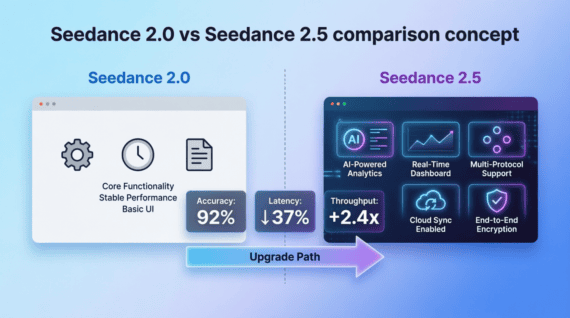
The platform gives creators access to 200+ AI models, including Seedance 2.0, Kling AI, Nano Banana, Google Veo, Sora, and Flux. This allows different models to be used for different creative requirements rather than treating every shot the same way.
With invideo agent two, the workflow goes beyond individual generations. It can remember project decisions, character details, visual references, lighting rules, and other creative context. You can also create specialist agents for roles such as a DOP, storyboard artist, casting director, or VFX artist and have them work from the same project context.
Agent two can also read scripts, PDFs, brand books, YouTube links, videos, rough cuts, and uploaded footage. That means existing filmmaking material can become part of the creative process rather than needing to be converted into prompts first.
Pricing: Invideo offers Plus at $17/month, Max at $85/month, and Generative at $170/month.
2. Runway
Runway is a strong option for creators who want to experiment directly with generated footage and cinematic visual treatments.
It can be used for generating shots, modifying existing footage, exploring visual effects, and developing different versions of a scene. This makes it useful during both concept development and post-production.
For filmmakers, the platform can act as a visual sandbox where an idea can be tested before deciding how it should be produced.
Pricing: Runway offers Standard at $12/month, Pro at $28/month, and Max at $76/month.
3. Luma AI
Luma AI focuses heavily on visual generation and cinematic movement. It can help creators develop scenes that would normally require locations, sets, props, or additional production work.
The platform can be useful for mood-heavy sequences, environmental shots, visual concepts, and experimental filmmaking.
It also fits well into workflows where AI-generated scenes are combined with traditional footage rather than used for an entire film.
Pricing: Luma AI offers Plus at $30/month, Pro at $90/month, and Ultra at $300/month.
4. Vidu
Vidu supports both text-to-video and image-to-video generation, making it useful when creators already have a visual reference they want to bring to life.
For cinematic projects, an image can provide the foundation for a moving shot while the creator develops the surrounding action through prompts and references.
This can be useful for concept films, product storytelling, social campaigns, and short cinematic sequences.
Pricing: Vidu offers Standard at $10/month, Premium at $35/month, and Ultimate at $99/month.
5. Pika
Pika takes a more fast-moving approach to AI video creation. It is useful for experimenting with short scenes, transformations, effects, and visual concepts.
For creators producing social-first cinematic content, it can provide a quick way to test different visual ideas without building a complete production around every experiment.
It works particularly well when the goal is to find an interesting visual treatment rather than construct an entire narrative film.
Pricing: Pika offers Standard at $10/month, Pro at $35/month, and Fancy at $95/month.
6. Krea
Krea combines visual generation with tools for developing and refining creative ideas.
For cinematic work, it can help creators explore a film’s visual identity, develop references, and experiment with different styles before generating final material.
It can be useful when the challenge is not simply creating a shot but figuring out what the overall project should look like.
Pricing: Krea’s Pro plan costs $35/month, while the Max plan costs $105/month.
7. Hailuo AI
Hailuo AI is another option for creating short AI-generated video sequences from text and visual references.
It can be useful for filmmakers and marketers who want to explore different scenes, camera ideas, or visual directions before selecting the strongest versions.
Rather than treating every generated clip as final footage, creators can use it as part of an iterative process where several possibilities are generated and refined.
Pricing: Hailuo AI offers Standard at $10.50/month, Pro at $38/month, Master at $89/month, and Max at $216/month.
What Makes a Cinematic AI Workflow Different?
A cinematic video is not just a collection of attractive shots. The scenes need to work together.
Characters should remain recognisable. Lighting needs to make sense between shots. Camera movement should support the story. Locations and props should not change without a reason.
This is where workflow becomes important.
A creator working on a 20-second social clip may only need a few generations. A filmmaker developing a multi-scene story has a much bigger continuity problem.
Tools that can work with references, project context, existing footage, and repeated creative decisions can therefore become more useful as the project gets larger.
Think in Shots, Not Just Prompts
One useful change in AI filmmaking is moving away from treating every generation as an isolated prompt.
A scene can begin with a reference image, a character description, a camera direction, and a lighting decision. The next shot can build on those decisions rather than starting from a blank page.
This is especially relevant for commercials, music videos, branded films, and short narrative projects.
The AI handles part of the production, but the filmmaker still decides what the camera should see, when it should move, and why the shot exists.
Final Thoughts
There is no single Higgsfield alternative that will fit every cinematic workflow.
Invideo agent is suited to broader creative projects, combining 200+ AI models with project memory, multiple specialist agents, and support for existing filmmaking materials. Runway, Luma AI, Vidu, Pika, Krea, and Hailuo AI take different approaches to visual generation and experimentation.
The right choice depends on whether you need individual cinematic shots, image-to-video generation, visual experimentation, or a workflow that can carry a larger project from concept through production.
For filmmakers, the most useful AI tool is ultimately the one that gives them more control over the creative process, not simply the one that produces the most impressive single clip.