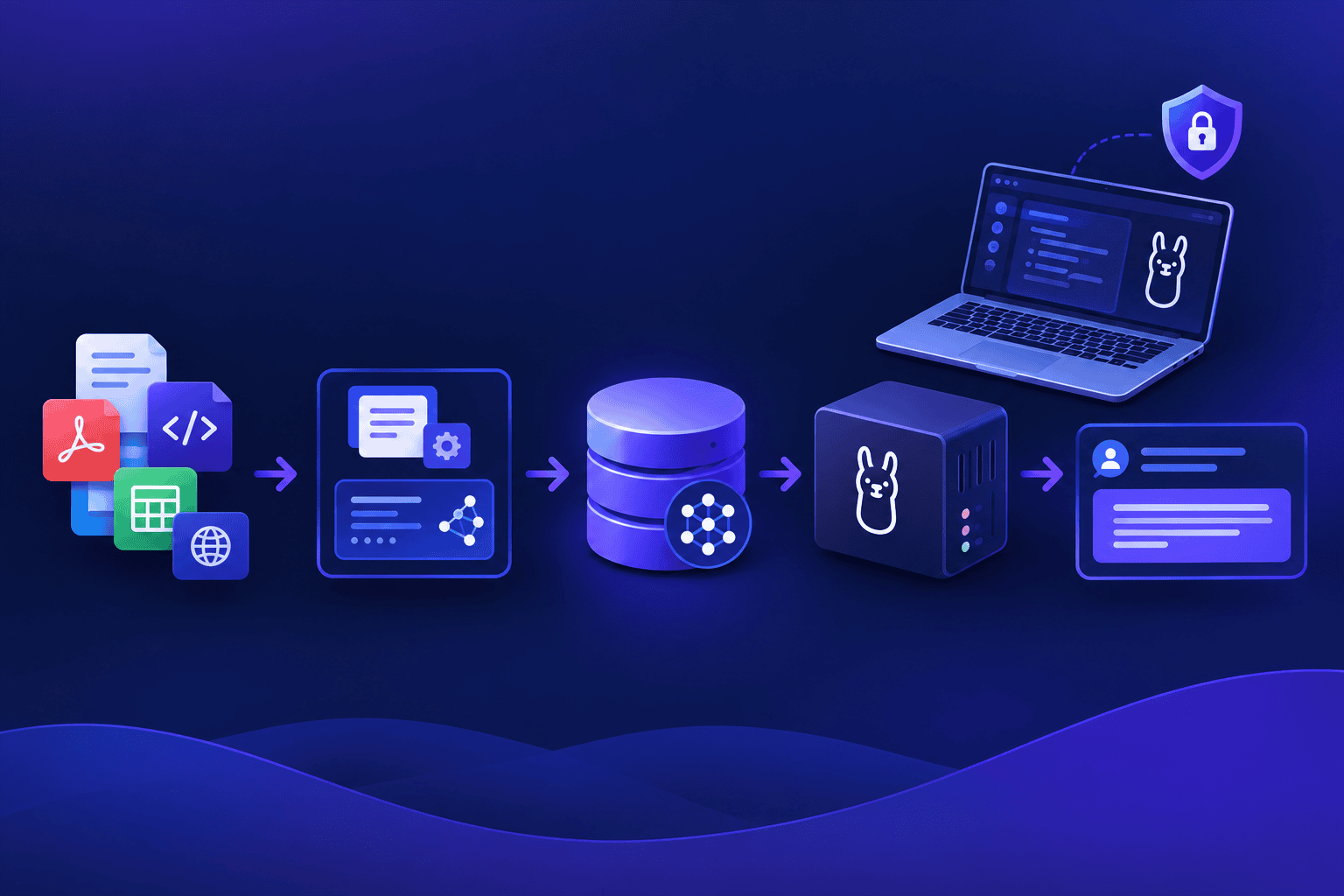
To build a private Retrieval-Augmented Generation (RAG) pipeline, generate vector embeddings locally using an open-source model, store them in an on-premise vector database, and query a quantized local LLM over standard REST APIs. This architecture can keep retrieval and generation local when embeddings, storage and inference are configured locally and no remote tools are enabled.
Why should engineering teams replace cloud RAG endpoints with local pipelines?
Cloud-hosted RAG solutions require transmitting internal documentation, proprietary codebases, and sensitive customer data to external API servers. This data egress may raise contractual or policy questions that must be assessed for the specific provider and deployment.
Local RAG can avoid sending documents to a cloud model provider, but network settings, logs, backups and endpoint security still matter. Modern quantized open-weight models paired with lightweight vector indices run entirely inside local workstation memory, avoiding per-token cloud API billing while still incurring local operating costs.
What architecture is required for an end-to-end private RAG stack?
Building a fully local RAG pipeline involves three primary components working together on local hardware: an embedding engine, a local vector store, and a quantized inference server.
| Pipeline Layer | Open-Source Tool | Recommended Configuration | Hardware Requirement | Memory Overhead |
|---|---|---|---|---|
| Embedding Engine | nomic-embed-text / bge-m3 | FP16 or Quantized Q8 | CPU or Dedicated GPU | Depends on embedding model and batch size |
| Vector Storage | ChromaDB / Qdrant / FAISS | In-Memory / Local Disk Index | SSD Storage | Depends on corpus and index size |
| Local LLM Runtime | Ollama / llama.cpp | qwen3.5:9b-q4_K_M (6.6 GB GGUF weights; 4K initial context) | 8–16 GB Unified Memory / VRAM | Depends on quantization, context and offload |
| Local Chat Interface | Atomic Chat (optional) | Built-in document chat or separate API workflow | Local workstation | Measure actual app usage |
How do you build a private local RAG pipeline step-by-step?
This local RAG example uses Ollama for inference, Chroma for storage, and Python packages langchain-ollama, langchain-chroma and langchain-text-splitters. Install Python 3.10+ and Ollama, then run:
python -m pip install langchain-ollama langchain-chroma langchain-text-splitters

ollama pull qwen3.5:9b-q4_K_M

ollama pull nomic-embed-text
Create a file called private_rag.py containing:
import shutil
from pathlib import Path

from langchain_core.documents import Document
from langchain_text_splitters import RecursiveCharacterTextSplitter
from langchain_ollama import OllamaEmbeddings, ChatOllama
from langchain_chroma import Chroma

NOT_FOUND = "Information not found in local documentation."
DB_DIR = Path("./chroma_db")

folder = Path("private_docs")
folder.mkdir(exist_ok=True)

example = folder / "backup.md"
if not example.exists():
    example.write_text(
        "# Database backupn"
        "Backups run daily at 02:00 UTC. Retention is 14 days.n"
        "Restore tests are performed monthly.n",
        encoding="utf-8",
    )

files = sorted(folder.glob("*.md"))
if not files:
    raise RuntimeError("No Markdown files found in private_docs")

docs = [
    Document(page_content=f.read_text(encoding="utf-8"), metadata={"source": f.name})
    for f in files
]

chunks = RecursiveCharacterTextSplitter(chunk_size=500, chunk_overlap=50).split_documents(docs)
for i, chunk in enumerate(chunks, 1):
    chunk.metadata["chunk_id"] = f"S{i}"

if DB_DIR.exists():
    shutil.rmtree(DB_DIR)

# Ollama's embedding adapter handles query/document embedding calls.
# Use consistent embedding formatting for indexing and queries.
embeddings = OllamaEmbeddings(model="nomic-embed-text")

store = Chroma.from_documents(
    chunks,
    embedding=embeddings,
    ids=[c.metadata["chunk_id"] for c in chunks],
    collection_name="local_docs",
    collection_metadata={"hnsw:space": "cosine"},
    persist_directory=str(DB_DIR),
)

llm = ChatOllama(model="qwen3.5:9b-q4_K_M", temperature=0, reasoning=False)


def ask(question):
    matches = store.similarity_search_with_relevance_scores(question, k=3)
    relevant = [(doc, score) for doc, score in matches if score >= 0.5]

    print("Candidate sources:",
          [(d.metadata["chunk_id"], d.metadata["source"], round(s, 3)) for d, s in relevant])

    if not relevant:
        return NOT_FOUND

    context = "nn".join(f"[{doc.metadata['chunk_id']}] {doc.page_content}" for doc, _ in relevant)

    prompt = (
        "Answer only from the context. Cite source IDs in square brackets. "
        f"If the answer is absent, reply exactly: {NOT_FOUND}n"
        f"Context:n{context}n"
        f"Question: {question}n"
        "Answer:"
    )

    return llm.invoke(prompt).content.strip()


print("Known question:", ask("When do backups run?"))
print("Missing question:", ask("Who approves production releases?"))
Run python private_rag.py. The sample supports the answer ‘daily at 02:00 UTC’ with a citation to the backup.md chunk. The missing-question test should return ‘Information not found in local documentation.’ Review the output: a similarity threshold is only a heuristic and cannot guarantee that a retrieved passage answers a question. Verify each cited passage against the file. This example uses the default Ollama embedding adapter and must be retested if you switch to a Nomic v1.5 pipeline with explicit search_document:/search_query: formatting; rebuild the Chroma index after changing embedding models or formatting.
How does Atomic Chat fit into a local document workflow?
The Python pipeline above is one route to document Q&A. For readers who prefer a graphical interface, Atomic Chat provides a separate built-in workflow for chatting with attached documents.
Atomic Chat document-Q&A walkthrough: (1) Select a compatible downloaded local model in Atomic Chat. (2) Attach a text-readable file named backup.md containing: ‘Backups run daily at 02:00 UTC. Retention is 14 days. Restore tests are performed monthly.’ (3) Ask: ‘When do backups run? Cite the supporting text.’ (4) Ask a second question: ‘Who approves production releases?’ and check whether the response clearly identifies missing information rather than inventing an approver. Review checklist: the backup schedule matches the attached text; the source passage is inspectable; the missing fact is not presented as established; the selected provider is local. Atomic Chat’s document retrieval is separate from the Python Chroma index above; using the same Ollama model does not connect ./chroma_db automatically. Supported GGUF, MLX and ONNX formats depend on platform, and TurboQuant can reduce KV-cache memory on supported engines.
How do you optimize local RAG precision and context window usage?
Running RAG pipelines on consumer hardware requires managing context window memory and retrieval accuracy. Overloading the prompt with irrelevant chunks slows down generation speed and increases memory usage.
1. Optimize Chunk Sizes
Chunk size is a retrieval tuning parameter: the example above uses 500 characters, not 500 tokens. Evaluate chunk sizes against real questions and document structure. Smaller chunks may improve precision but can omit context; compare retrieval quality across representative questions.
2. Implement Reranking
Standard cosine similarity searches sometimes retrieve chunks that share keywords but lack semantic intent. Using a lightweight local cross-encoder model (such as bge-reranker-large) can reorder candidate passages before generation; this optional reranking step is not implemented in the code above.
3. Use System Prompts to Reduce Hallucinations
Instruct the local LLM strictly to answer using only the provided context snippets. If the retrieved context does not contain the answer, explicitly direct the model to respond with “Information not found in local documentation.”
FAQ
How much RAM is needed to run a complete local RAG pipeline?
A complete RAG setup (Ollama runtime, 9B model at 4-bit quantization, embedding model, and vector store) has no universal memory requirement: document count and chunk count, embedding model, generation model, context length, concurrent model loading and CPU/GPU placement all matter; measure system RAM and VRAM separately.
Which embedding model works best for local code and documentation RAG?
nomic-embed-text and bge-m3 are possible local embedding models; compare them on your own corpus. Their suitability and memory usage depend on the exact model version, input lengths, runtime and corpus.
Can a private RAG pipeline run completely air-gapped without internet access?
Yes. Once the initial model weights and Python packages are downloaded, execution engines, vector databases, and self-hosted chat clients can run offline if all dependencies and models are available locally and remote integrations are disabled.
Does RAG work well with smaller models?
Yes. RAG reduces the reasoning burden on the model by supplying exact factual passages in the prompt. A quantized 9B model such as qwen3.5:9b-q4_K_M may be useful for summarizing retrieved passages, but answers and citations must be checked.
Conclusion
Building a private RAG pipeline with local LLMs lets engineering teams choose where retrieval and inference run, while security, quality and operating costs remain deployment-dependent. By combining quantized open-weight models, local vector storage, and local interfaces such as Atomic Chat (using its own document attachment workflow), developers can deploy robust knowledge systems that can operate without cloud inference when all required components are local and network-dependent features are disabled.