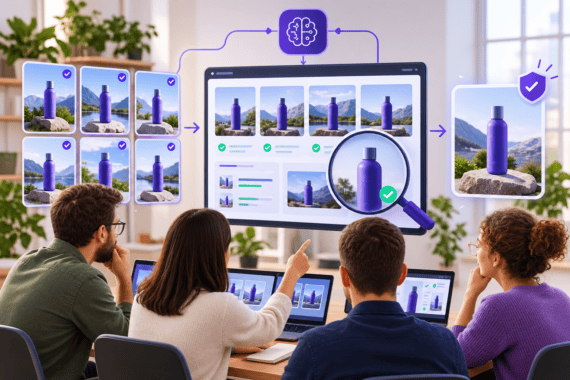
Deploying an ai talking photo generator inside an enterprise content or technical documentation pipeline requires much more than uploading a random headshot and typing a script. In consumer demos, any casual selfie seems good enough to produce a five-second clip. In production environments, where engineering, product education, and regional support teams publish dozens of narrated explainers across multiple languages, small flaws in source portrait geometry or audio prosody quickly compound into uncanny lip motion, collar distortion, or compliance bottlenecks.
Over the past two years, audio-driven portrait animation has shifted from brittle 2D affine warping toward motion-field estimation and latent diffusion rendering. Yet even the strongest synthesis models remain tightly bound by the physical quality of their inputs: the spatial clarity of the reference image, the acoustic timing of the speech track, and the governance rules surrounding digital likenesses. Understanding how the underlying inference pipeline processes those inputs helps technical teams eliminate visual artifacts at the source rather than trying to patch them in post-production.
Inside an ai talking photo generator pipeline: from 2D landmarks to viseme synthesis
To understand why certain portraits animate cleanly while others produce jittery jawlines or frozen upper faces, it helps to trace the four computational stages that a modern talking-photo system executes between file upload and final MP4 export.
| Pipeline Stage | Core Technical Operation | Primary Input | Common Failure Trigger |
| 1. Face Parsing & Alignment | 2D/3D canonical keypoint extraction and crop normalization | Single still portrait (PNG/JPG) | Extreme head yaw (>15 degrees), glasses glare, or chin shadows |
| 2. Acoustic Feature Extraction | Phoneme segmentation, pitch contour, and energy envelope analysis | TTS audio stream or uploaded WAV | Rushed syllable bursts, unexpanded acronyms, or zero breath pauses |
| 3. Motion-Field Prediction | Mapping acoustic frames to lip visemes, blink timing, and micro head pose | Aligned face tensor + audio embeddings | Mismatched speaking rate (>165 WPM) or clipped plosive consonants |
| 4. Identity-Preserving Render | Warping or latent frame synthesis with background matting | Motion vectors + reference identity features | Busy patterned backgrounds or hair strands crossing the lip boundary |
1. Canonical face parsing and geometric normalization
When a reference photograph enters the pipeline, a face detector isolates the bounding box and extracts dense facial landmarks covering the eyebrows, eyelids, nasal bridge, outer and inner lip contours, and jawline. The model also estimates a 3D head-pose vector (pitch, yaw, and roll) and separates foreground facial regions from the neck, clothing collar, and background pixels.
If the input portrait was shot at a steep three-quarter angle or with the chin tilted sharply upward, the model must hallucinate occluded facial texture on the far side of the cheek whenever the animated head rotates toward center. Similarly, if a dark shadow falls across the submental region under the jaw, the segmentation mask can misclassify that shadow as part of the neck background, causing the lower chin to stretch unnaturally during open-vowel pronunciation.
2. Acoustic embedding and phoneme-to-viseme alignment
In parallel with image parsing, the speech track is converted into frame-level acoustic representations, typically extracted at 25 or 30 frames per second to match the target video frame rate. The audio encoder tracks both phonetic identity and prosodic energy.
Every spoken phoneme maps to a visual mouth shape known as a viseme. Bilabial plosives (/p/, /b/, /m/) require complete lip closure before release; labiodental fricatives (/f/, /v/) bring the lower lip against the upper teeth; rounded vowels (/o/, /u/) narrow the oral aperture. When a script crams 180 words into a 60-second audio track, adjacent visemes collide within a three-frame window. The renderer cannot complete full lip closure for /p/ or /b/ before the next vowel arrives, which viewers perceive as “floating” or under-articulated mouth movement.
3. Pose decoupling and micro-expression synthesis
Human speakers do not move their lips while keeping their skull locked in a vise. Natural speech pairs syllable stress with subtle head nods, eyebrow raises on emphasized tokens, and periodic eye blinks spaced roughly every three to five seconds. Modern synthesis pipelines predict these low-frequency head and eye trajectories alongside high-frequency lip motion, keeping upper-face dynamics synchronized with the cadence of the voice track.
Engineering the source portrait to eliminate rendering artifacts
Because the synthesis model treats the uploaded photograph as the sole ground truth for facial identity, lighting, and texture, eighty percent of visual quality is determined before inference even begins. Teams using Leadde to turn static presenter portraits and structured scripts into multilingual product explainers or technical briefings get the cleanest results when they standardize a strict input capture specification.

Centralizing portrait selection, phoneme-aware script blocks, and subtitle generation inside a single workspace makes synthetic video outputs reproducible across releases.
Instead of letting contributors upload cropped conference photos or webcam captures, enforce six measurable acceptance criteria for every reference portrait:
- Resolution and uncompressed facial crop. Capture the portrait so that the inter-ocular distance (the pixel distance between the centers of both pupils) is at least 250 to 300 pixels within a 1080p or higher frame. Avoid heavily recompressed JPEGs with macroblocking around the vermilion border of the lips.
- Frontal head geometry. Keep head yaw and pitch within 5 degrees of dead center, with the camera lens positioned exactly at eye level. Both ears should be equally visible.
- Neutral, relaxed mouth state. Photograph the subject with lips gently closed or parted by no more than two millimeters in a relaxed neutral expression. Wide toothy smiles in the source photo force the model to overwrite high-contrast teeth pixels during closed-lip consonants (m, b, p), which often introduces flickering around the oral commissures.
- Flat, diffused lighting at 45-degree angles. Place two matched softboxes at 45-degree angles in front of the subject so illumination across the left and right cheeks is balanced within half an f-stop. Avoid overhead office spotlights that cast harsh shadows under the brow ridge and nose.
- Clear boundary separation. Keep loose hair strands, hands, lanyards, and headset microphones completely clear of the jawline and collar. If a collar has a high-frequency checkerboard pattern, subtle shoulder motion can trigger moire shimmering; solid matte fabrics in mid-tone colors render far more cleanly.
- Uncluttered background plane. Shoot against a solid matte backdrop or a softly defocused studio wall with at least 1.5 meters of physical separation behind the subject. If background objects like shelving lines or monitor bezels touch the side of the head, local motion vectors around the ear can warp the background edge.
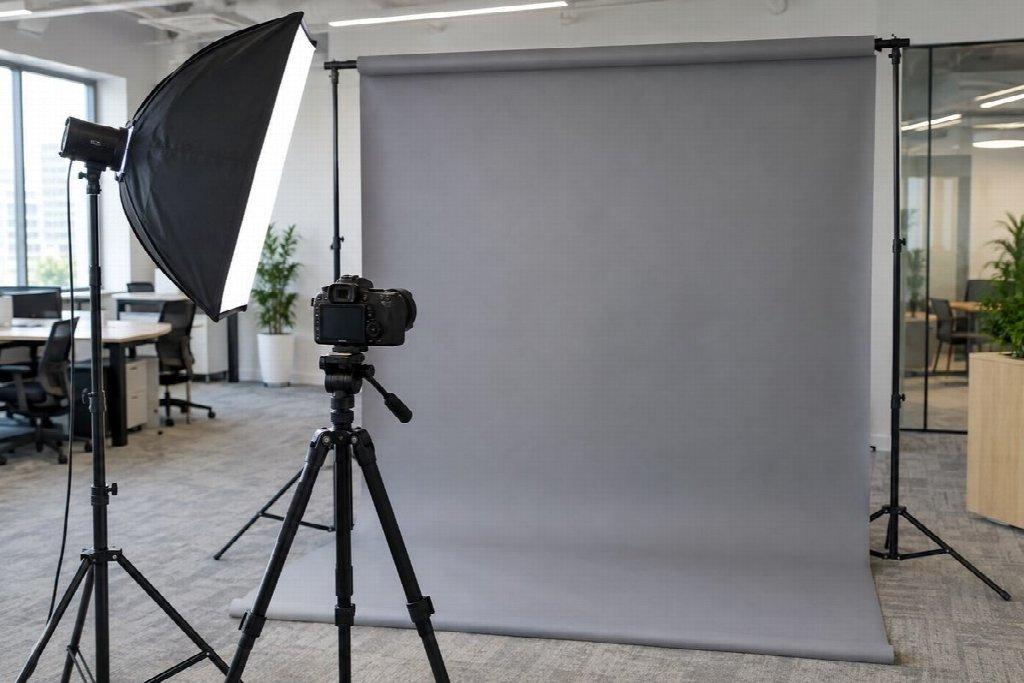
Even softbox illumination and a neutral matte background prevent jawline warping and shadow artifacts during audio-driven head motion.
Tuning script prosody for accurate lip synchronization
Once a clean reference portrait is locked into your asset library, the second lever for visual realism is acoustic pacing. Synthetic lip motion looks most convincing when the speech engine is fed short, phonetically unambiguous clauses rather than dense documentation prose.
Apply four script-engineering rules before rendering audio:
- Cap speaking rate between 135 and 150 words per minute. This pacing gives the motion model 6 to 8 video frames per syllable at 30 fps, allowing full viseme transitions between consonant closure and vowel opening.
- Normalize technical tokens into phonetic text. Do not leave strings like v3.11.2, SQL, OAuth2, or >= 99.9% in raw notation if your TTS engine reads them inconsistently. Write out how they should be spoken in the narration track while keeping the compact technical notation inside the on-screen slide or lower-third graphic.
- Insert explicit breath intervals. Break long explanations into 15-second scene blocks of 35 to 45 words, and leave a 300-millisecond to 500-millisecond pause between sentences. Those micro-pauses allow the animated mouth to return to a natural neutral rest state instead of chattering continuously for ninety seconds.
- Match vocal timbre to visual age and acoustic room profile. Pairing an overly reverberant voice recording with a close-up dry studio portrait creates an immediate perceptual mismatch. If you upload custom recorded audio rather than using built-in text-to-speech, record in a treated room with a cardioid condenser or dynamic microphone placed 15 centimeters off-axis, and normalize loudness to -16 LUFS before synthesis.
Production governance: likeness consent, provenance, and revision control
For technical organizations, running a talking-photo pipeline at scale is also an information governance discipline. When an employee’s portrait or a contracted presenter’s likeness can be animated into ten languages in minutes, ad-hoc file sharing quickly creates legal and security exposure.
Frameworks such as the NIST AI Risk Management Framework and the technical specifications maintained by the Coalition for Content Provenance and Authenticity (C2PA) provide practical scaffolding that engineering and content operations teams can translate into four concrete controls:
- Scoped likeness consent records. Never animate an employee, executive, or contractor portrait without a signed release that specifies the permitted use cases (for example, internal onboarding and public documentation), approved target languages, and a clear revocation window. If an engineer leaves the company, your asset registry should flag every active video utilizing their portrait so those modules can be re-rendered with an approved replacement presenter within 30 days.
- Role-based workspace access and script sign-off. Separate the permission to draft scripts from the permission to publish official presenter videos. Require a domain reviewer to verify technical accuracy in the text table before final video synthesis is approved.
- Provenance metadata and transparent disclosure. Attach clear content credentials or a standardized disclosure line in the video description and documentation footer noting that presenter narration and visual synchronization were generated via AI tools from an authorized reference portrait.
- Scene-level version archiving. Store the master portrait ID, voice profile ID, scene script table, and exported .srt caption files alongside the published MP4. When a software interface or API parameter changes in a future sprint, engineers can patch the single affected 15-second scene block and re-export in minutes, keeping technical video libraries accurate without ever booking another studio session.